Patients
Access supported hospital services digitally without relying on every interaction to begin at a physical service desk.
MyHealth provides a patient-facing service environment for appointments, payments, results, notifications and other supported healthcare interactions, connected to the hospital workflows behind them.
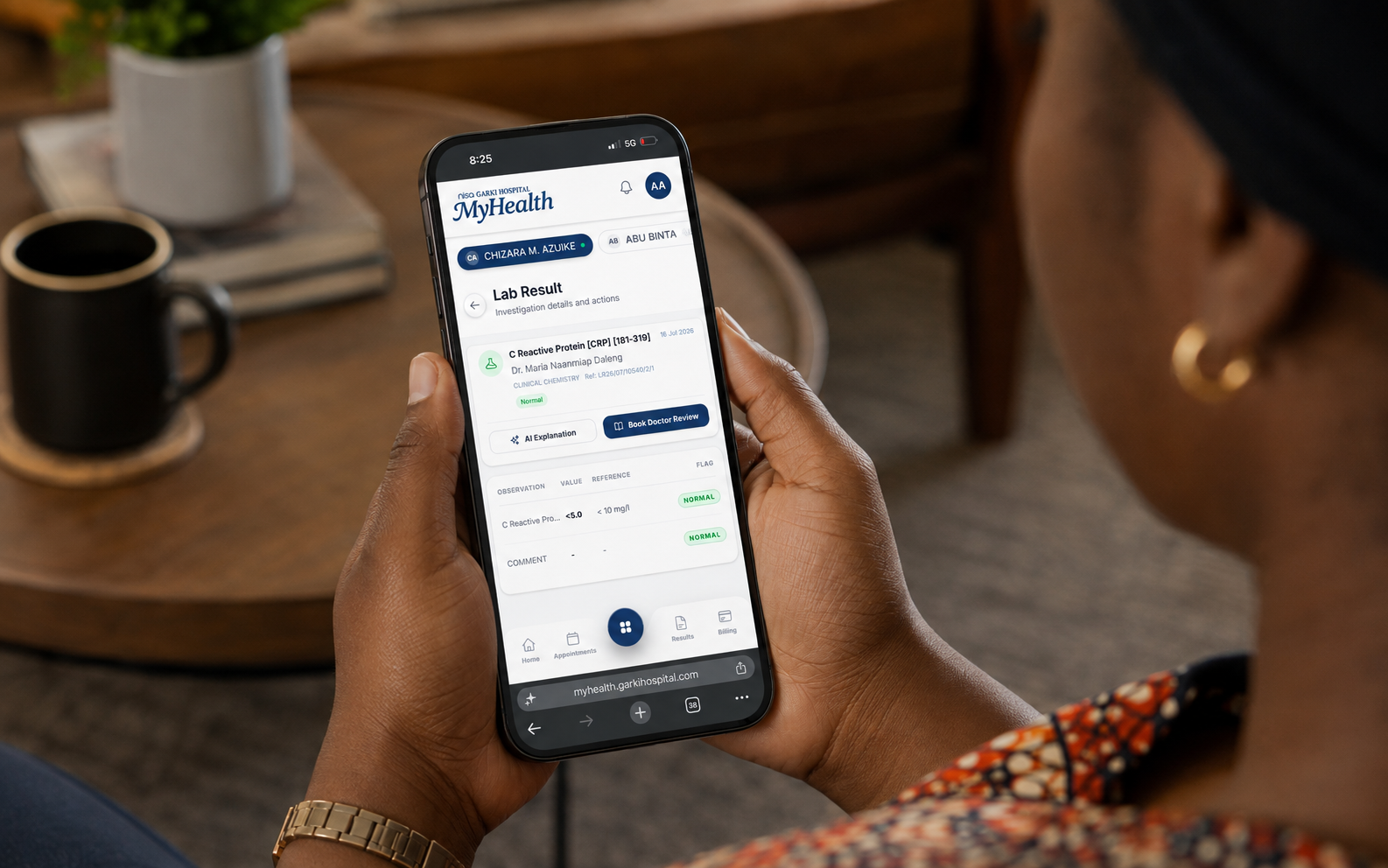
MyHealth is designed around patient access rather than a decorative dashboard. The patient starts a service interaction digitally; the hospital processes it through the appropriate workflow or system; status, information or results return through the patient-facing channel.
The exact services available depend on the hospital deployment and the systems connected behind the portal.
Access supported hospital services digitally without relying on every interaction to begin at a physical service desk.
Receive and manage digital interactions as part of the hospital’s service workflow.
Connect patient payment interactions to the hospital billing context where configured.
Make approved laboratory or imaging results available through controlled patient-access workflows where implemented.
Allow patients to establish and use their digital access identity through the hospital’s configured enrollment process.
Provide digital appointment scheduling or service-request entry points where connected to the hospital schedule.
Support patient payment journeys, including configured wallet or guest-payment workflows.
Provide controlled digital access to approved laboratory and imaging results where enabled by the hospital.
Keep patients informed about relevant service status and available actions.
Surface configured authorization or managed-care status where the hospital connects those workflows.
Give patients a structured way to initiate supported interactions without starting every process manually.
Provide clear pathways back to hospital service teams when a digital interaction requires human assistance.
Patient → MyHealth → Service request → Hospital workflow / system → Result / status → Notification / access
The product experience is successful when the patient action, hospital processing step and return of status or information operate as one complete service loop.
Depending on the hospital environment, MyHealth can connect to appointment, billing/payment, diagnostic, clinical-record and managed-care workflows so the patient interface reflects real service state rather than duplicating it manually.
Integration scope should be defined hospital by hospital. Not every deployment needs every connection.
Explore Integration Platforms →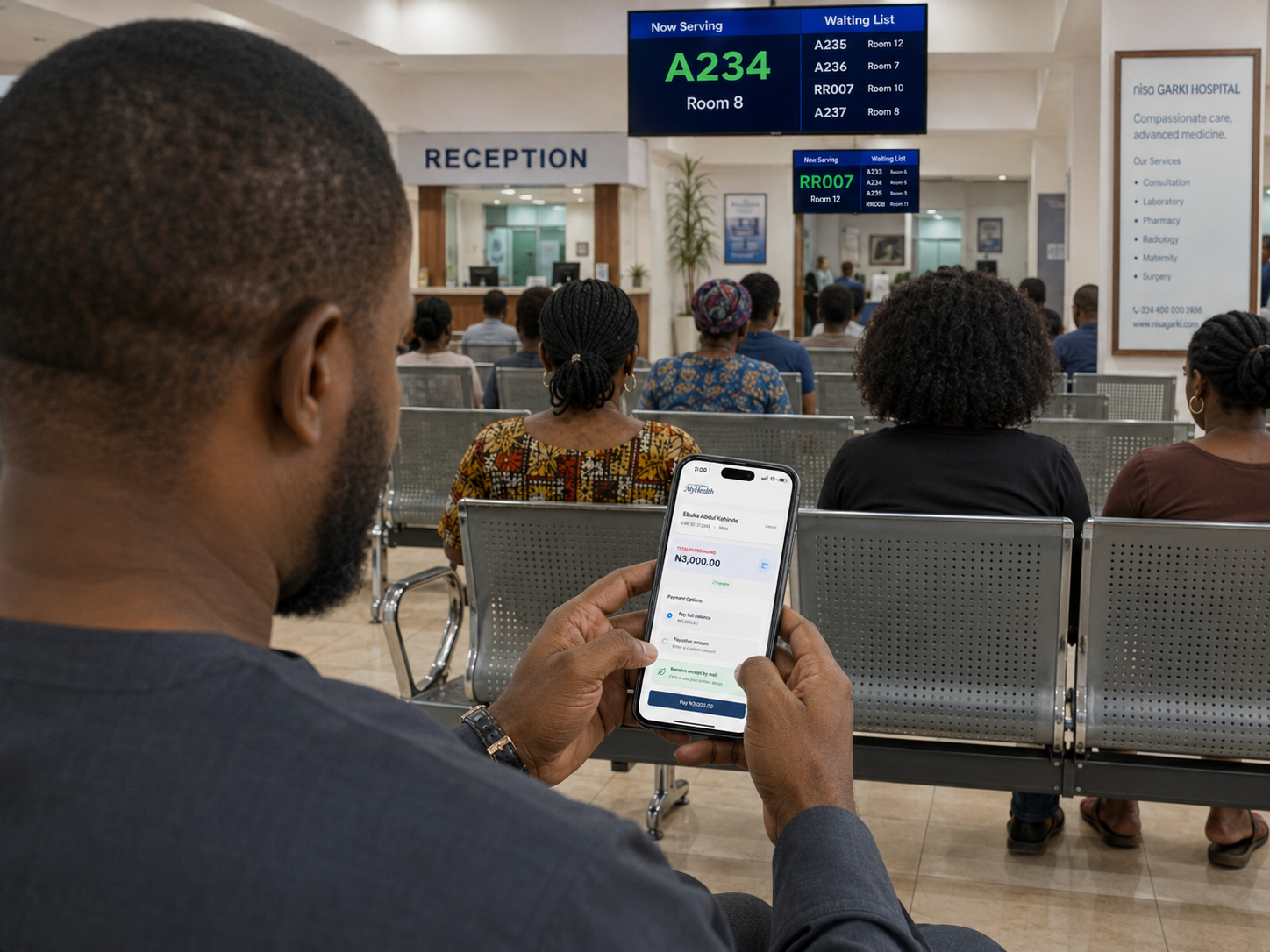
MyHealth gives patients a clear view of what they owe and a straightforward way to pay from their phone. They can confirm their account, review the outstanding balance, choose how much to pay and request a receipt—all within the same experience.
MyHealth can be configured as a hospital-branded or co-branded patient portal, with the visible services determined by the hospital’s workflows and integration scope.
The platform should remain responsive across desktop, tablet and mobile screen sizes, while the hospital retains control over what services and information are exposed to patients.
Connect patient-facing digital service to the clinical and operational environment behind it.
Explore healthcare →A hospital implementation centred on MyHealth and the service workflows that allow patients to interact with hospital services digitally.
Read the client story →Explore how V3C connects patient or customer interfaces to institutional workflows.
Explore Digital Experience →Result and record access should follow the hospital’s approved verification, authorization and audit model. Detailed controls belong in the deployment specification.
Discuss implementation →Tell us which services patients should be able to access and which hospital systems currently support them.